There are a few reasons why you may not be able to log in to your account.
- You are not using the email address associated with your account. This can happen if you have forgotten which email address you entered when signing up. It can also happen if the email address you entered had a typo in it. In this case, you can contact us to ask us to verify the primary email address on the account. When contacting us, please include the name of your business and listing and the email address you believe you added to the account.
- You are not using the correct password. If you know that you are using the correct email address, it may be possible that you have entered the password incorrectly either while logging in, or when you created a password while signing up. In this case, you should follow these steps to request a new password:
- Go to the account sign-in page.
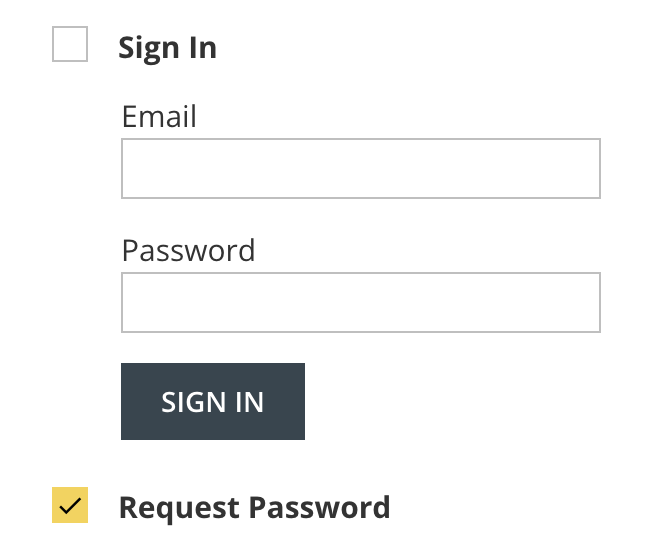
- Check the box next to Request Password (directly below the Sign In button).
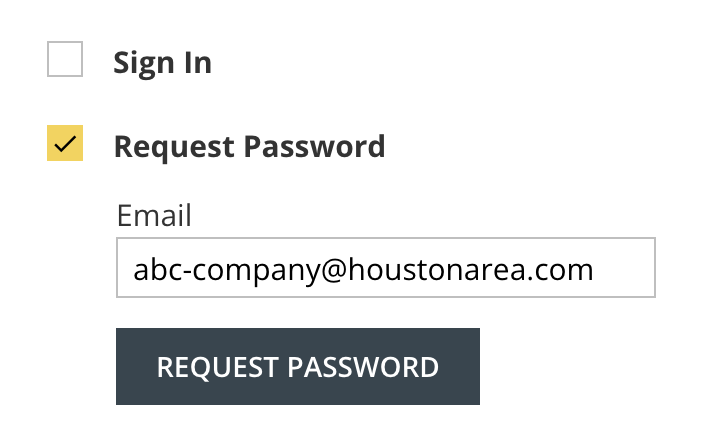
- Enter your email address and click the Request Password button. A new password will be sent to your email address that you can use to sign in.
- You are using a VPN. If you have verified that you are entering the correct email address and password and you still receive the message that your login/password was not accepted, it may be that you are using a VPN that is being blocked by our servers. In this case, you should disable the VPN and try to log in again.
There are a few reasons why you may not be able to log in to your account.
- You are not using the email address associated with your account. This can happen if you have forgotten which email address you entered when signing up. It can also happen if the email address you entered had a typo in it. In this case, you can contact us to ask us to verify the primary email address on the account. When contacting us, please include the name of your business and listing and the email address you believe you added to the account.
- You are not using the correct password. If you know that you are using the correct email address, it may be possible that you have entered the password incorrectly either while logging in, or when you created a password while signing up. In this case, you should follow these steps to request a new password:
- Go to the account sign-in page.
- Check the box next to Request Password (directly below the Sign In button).
- Enter your email address and click the Request Password button. A new password will be sent to your email address that you can use to sign in.
- You are using a VPN. If you have verified that you are entering the correct email address and password and you still receive the message that your login/password was not accepted, it may be that you are using a VPN that is being blocked by our servers. In this case, you should disable the VPN and try to log in again.
