
How do I update my auto renewal credit card information?
If you are on a monthly plan, you can easily update your payment information before your next auto-renewal.
- If you update your payment information more than 3 days before your next auto-renewal date, you will not be automatically charged until that date.
- If you update your payment information less than 3 days before your auto-renewal date, your new card will be charged immediately and then you won’t be charged again until the next month’s due date.
Steps to update your credit card information
- Sign in to your account.
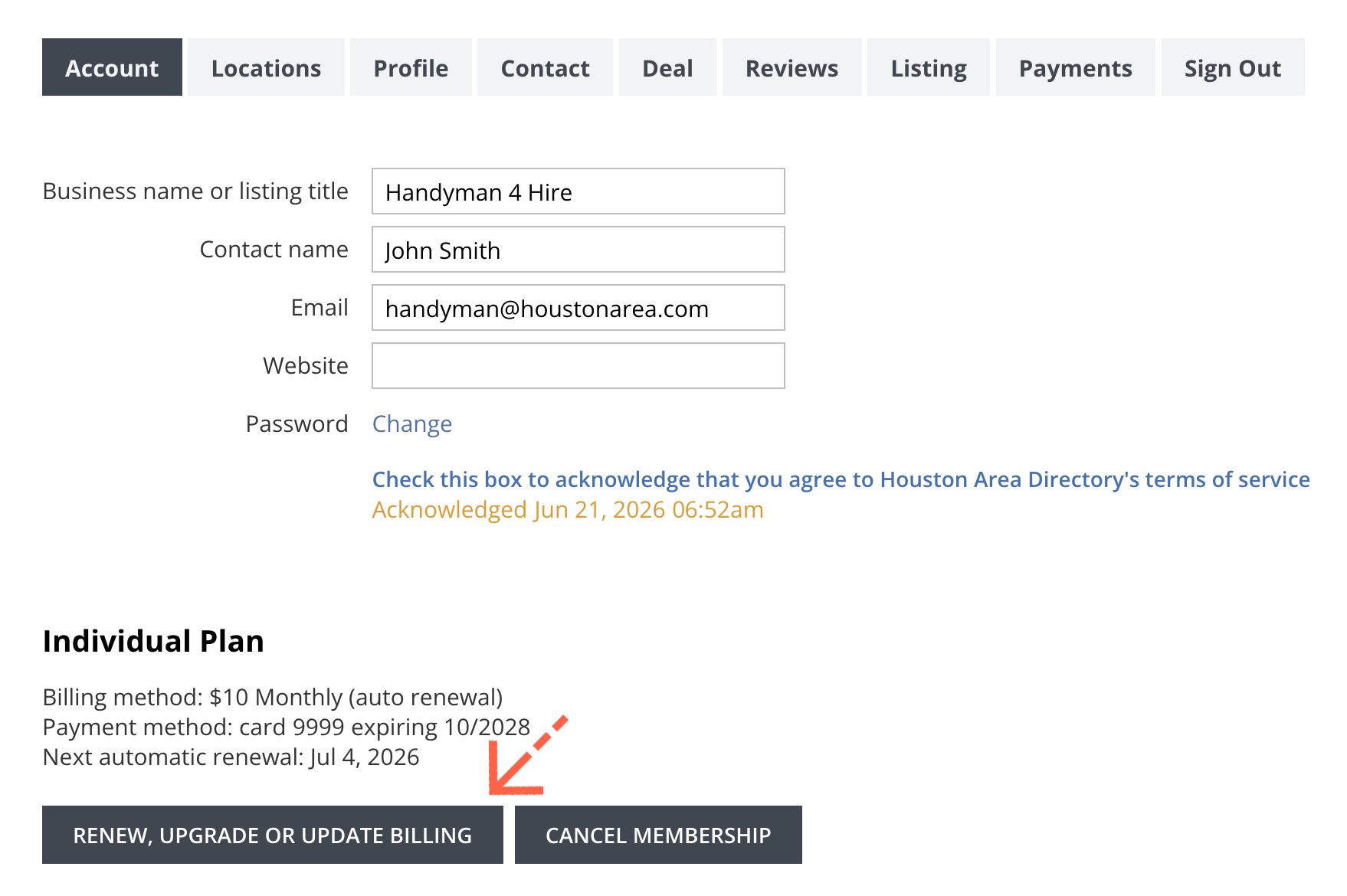
- Click the Renew, Upgrade or Update Billing button near the bottom of the box.
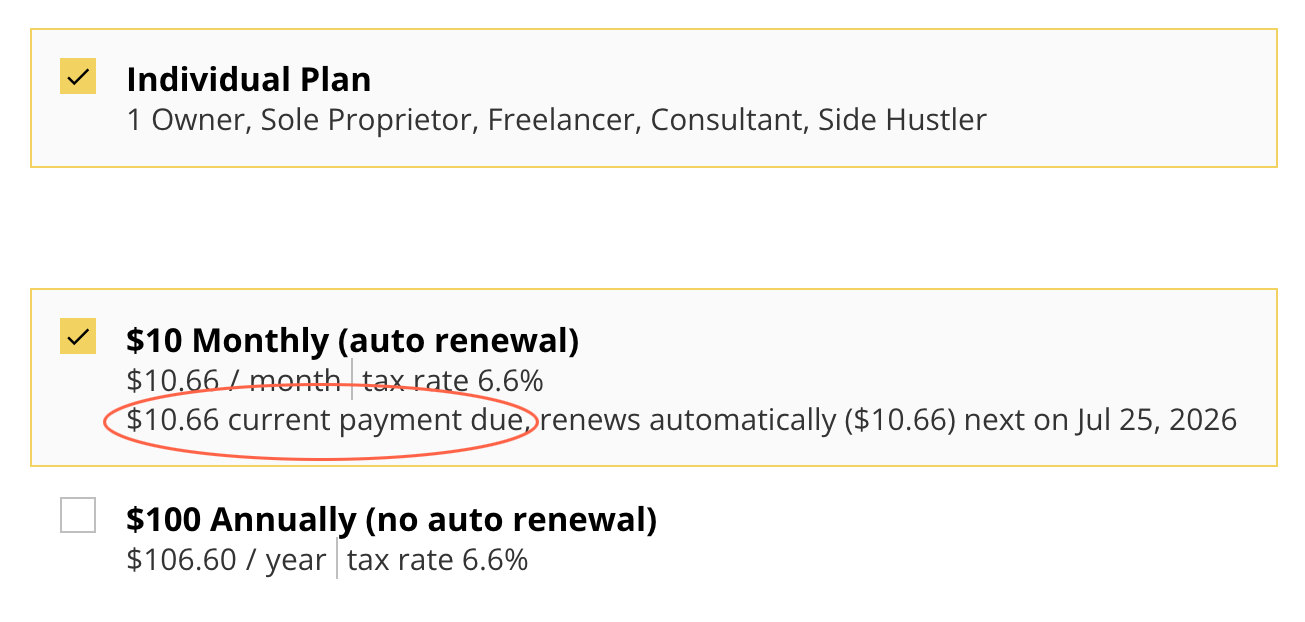
- Keep the Monthly billing option selected. If your card will be charged immediately, you will see the current payment due that will be charged today along with the next date your card will be automatically charged.
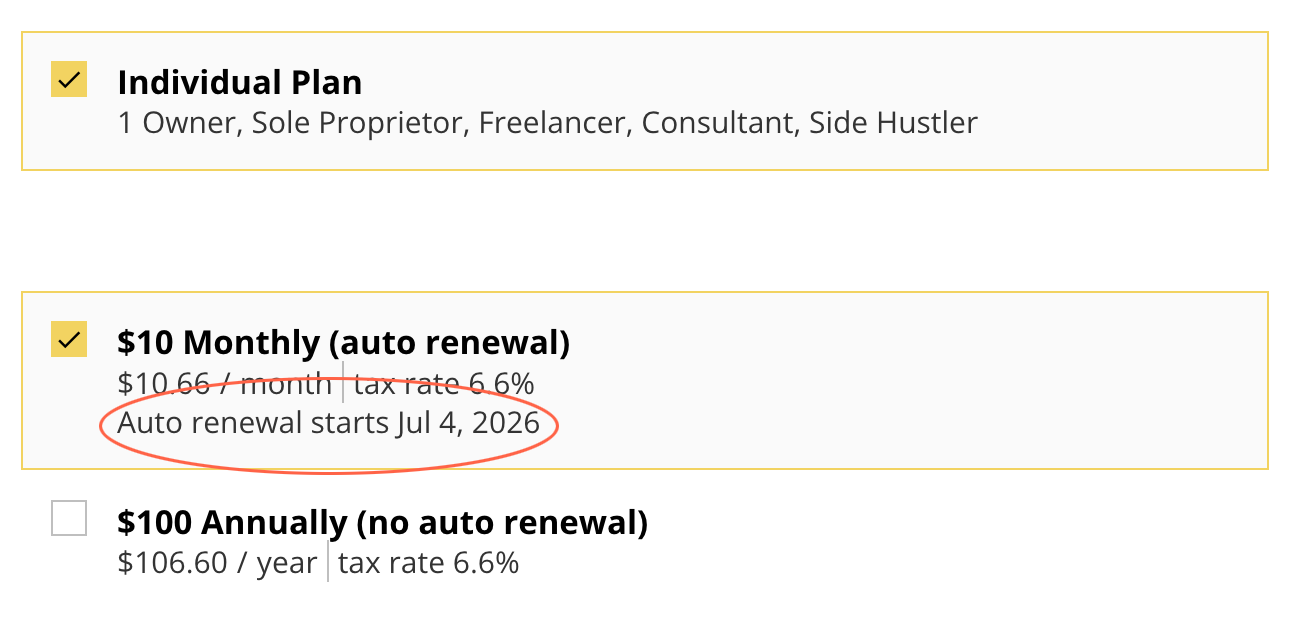
- If your card will not be charged immediately, you will not see a current payment due. Instead, you will see the next date your card will be automatically charged.
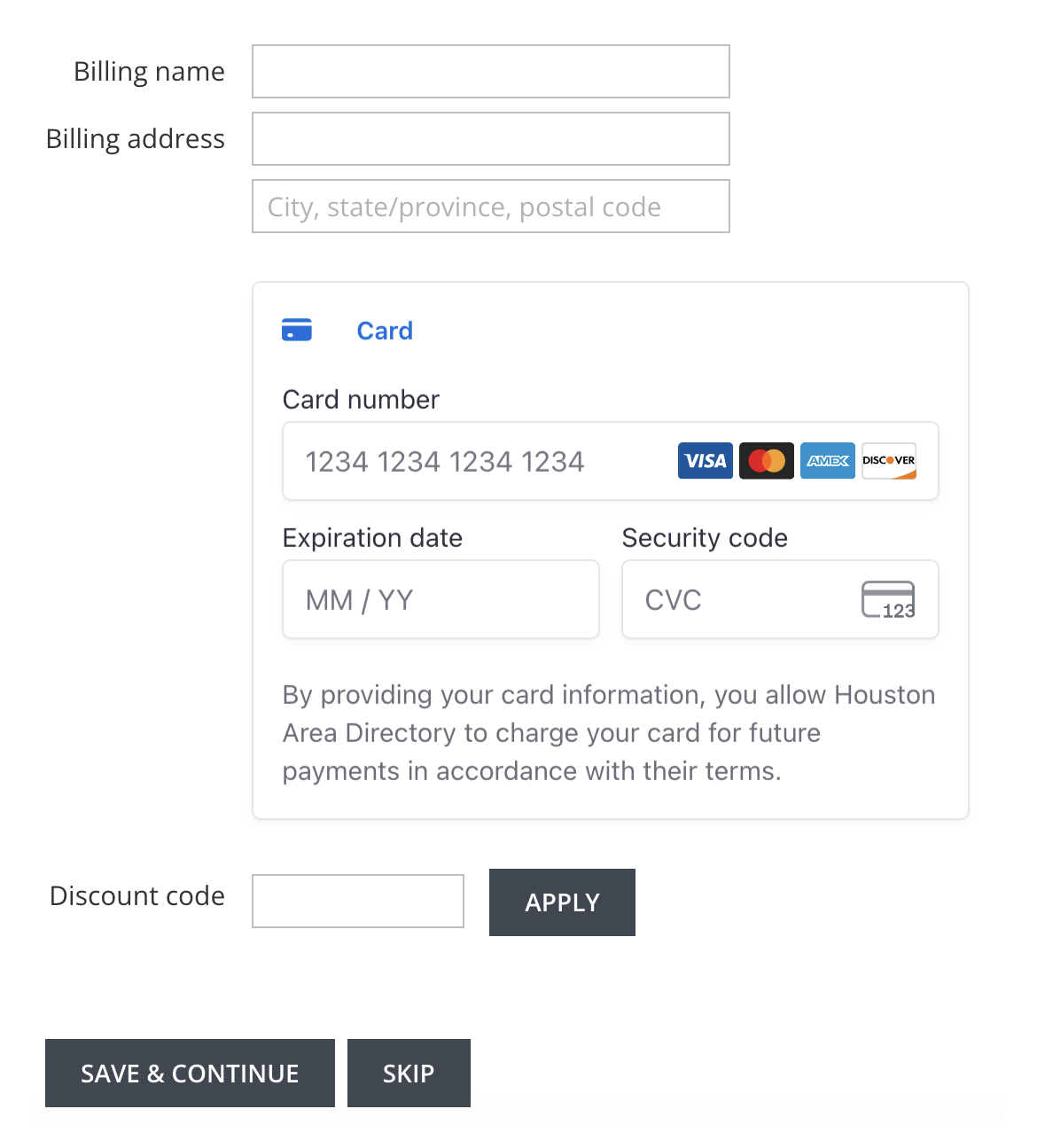
- Enter your new billing information below this and click Save & Continue.
How do I update my auto renewal credit card information?
If you are on a monthly plan, you can easily update your payment information before your next auto-renewal.
- If you update your payment information more than 3 days before your next auto-renewal date, you will not be automatically charged until that date.
- If you update your payment information less than 3 days before your auto-renewal date, your new card will be charged immediately and then you won’t be charged again until the next month’s due date.
Steps to update your credit card information
- Sign in to your account.
- Click the Renew, Upgrade or Update Billing button near the bottom of the box.
- Keep the Monthly billing option selected. If your card will be charged immediately, you will see the current payment due that will be charged today along with the next date your card will be automatically charged.
- If your card will not be charged immediately, you will not see a current payment due. Instead, you will see the next date your card will be automatically charged.
- Enter your new billing information below this and click Save & Continue.